RADA Drone Unit

The Rural Agricultural Development Authority (RADA) has embraced drone technology as a modern tool to strengthen Jamaica’s agricultural sector. Drones allow farmers and extension officers to monitor crops more efficiently, map farmlands with precision, and apply inputs such as fertilizers and pesticides in a targeted way. By reducing costs, saving time, and improving accuracy, drones help promote sustainable farming practices while boosting productivity and resilience across the island.

Our Drone Fleet

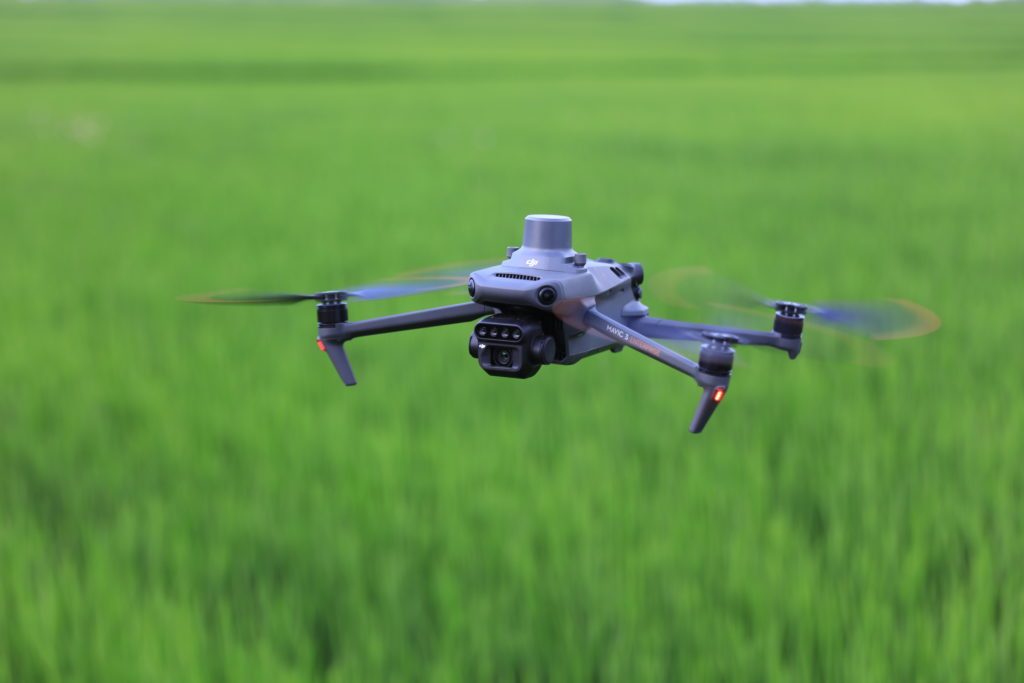
DJI Mavic 3

DJI Mavic 3

Multispectral quadcopter for field scans and crop monitoring.
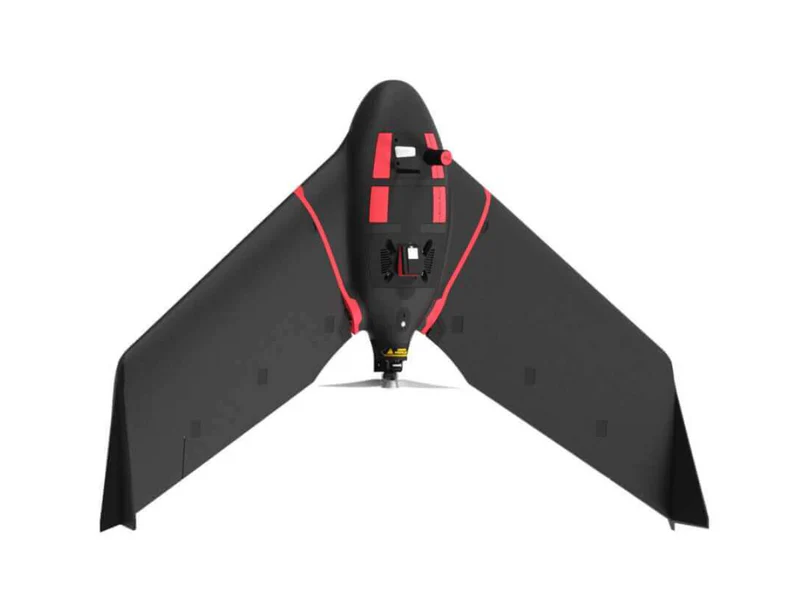
eBee Ag

eBee Ag

Fixed-wing mapping drone for large-area coverage.
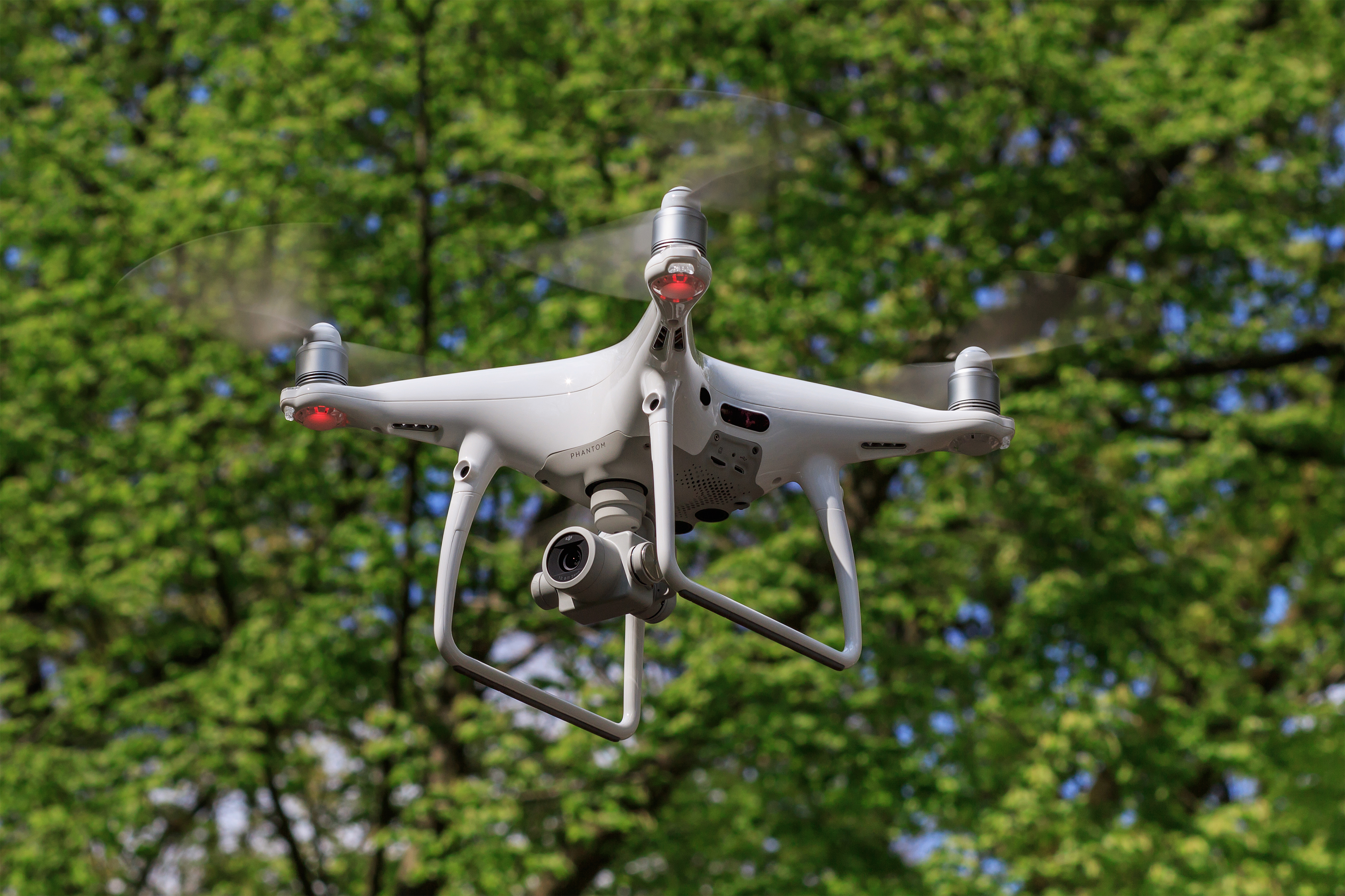
DJI Phantom 4

DJI Phantom 4

Reliable quadcopter for close-range inspection and scouting.
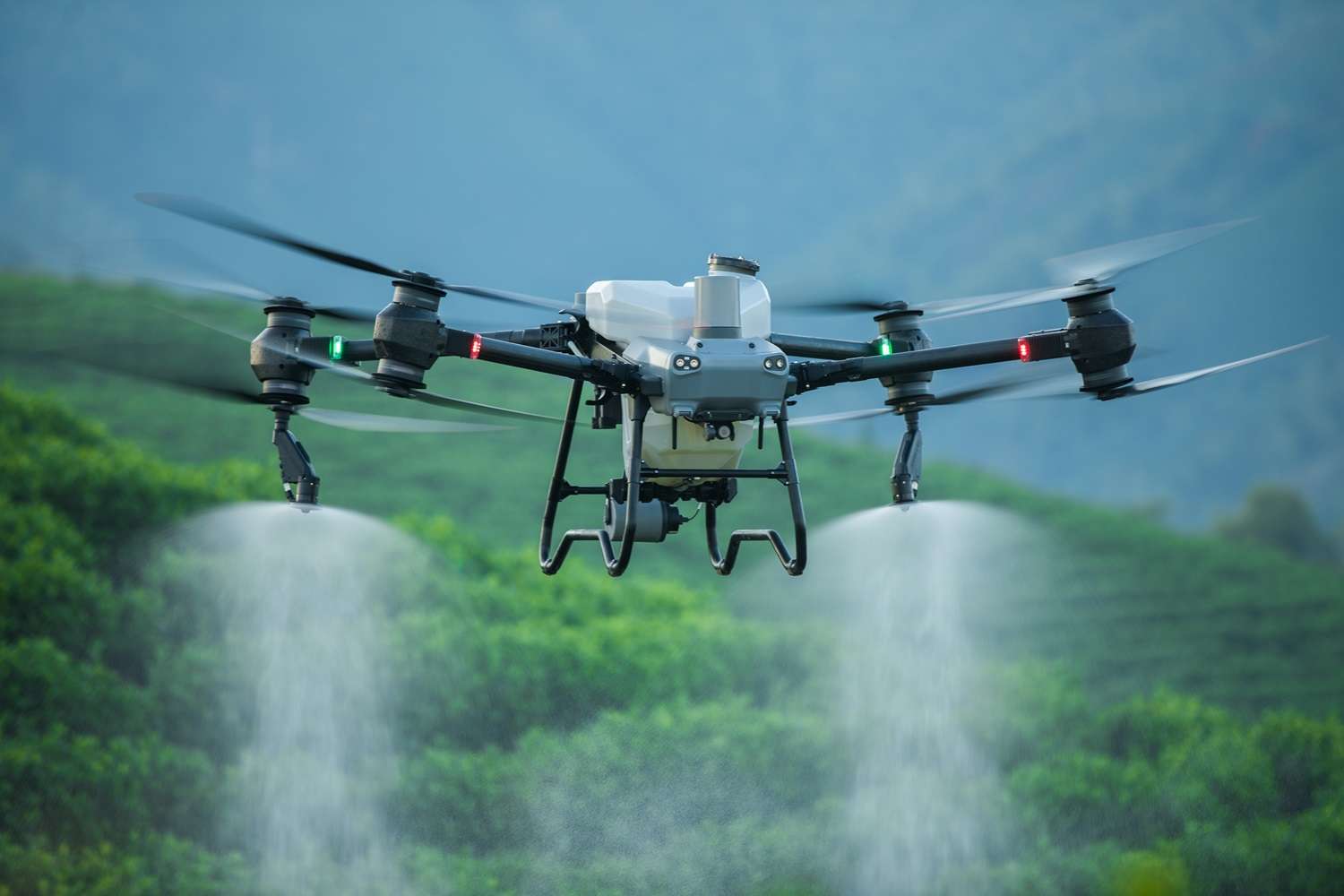
Sprayer Drone

Large Sprayer Drone

High-payload agricultural spraying drone for precision farming.

Drone Care & Flight

Adapted from DJI’s Keep & Care guide — covering preparation, flight, legal, maintenance, and emergencies.

1. Pre-Flight Preparation

  • Check weather – avoid strong winds, rain, fog, or extreme heat/cold.
  • Charge batteries – drone, controller, and mobile device.
  • Inspect propellers, arms, and gimbal for cracks or dust.
  • Calibrate compass and IMU when in a new area or after updates.
  • Update firmware and check memory card space.
  • Check No-Fly Zones using DJI FlySafe or local maps.

2. Assembly

  • Unfold arms correctly (front first, then rear for foldables).
  • Attach propellers to the matching motors.
  • Insert battery until it clicks securely.
  • Remove gimbal cover before powering on.
  • Mount mobile device to remote controller.

3. Flight Operations

  • Power on drone & controller, wait for GPS lock (≥ 8 satellites).
  • Set Return-to-Home altitude higher than nearby obstacles.
  • Take off via auto mode or stick command.
  • Use sticks smoothly for altitude, yaw, pitch, and roll.
  • Monitor battery; begin return at 25–30% charge.
  • Land slowly on flat ground, avoiding dust/debris.

4. When NOT to Fly

  • Near airports, heliports, or in restricted NFZs.
  • During bad weather (rain, snow, fog, winds above 10 m/s).
  • Over people, vehicles, or private property without permission.
  • At night without required anti-collision lighting.
  • When tired, impaired, or under medication.

5. Privacy & Legal

  • Respect privacy — no filming without consent.
  • Follow Jamaican aviation and drone regulations.
  • No unauthorized surveillance or spying.
  • Securely store and handle all captured data.

6. Care & Maintenance

  • Replace damaged or chipped propellers after flights.
  • Wipe drone with microfiber cloth to remove dust.
  • Store batteries at 40–60% charge for long-term storage.
  • Keep equipment in a cool, dry case.
  • Charge batteries every 3 months if unused.
  • Update firmware & DJI apps regularly.

7. Emergency Procedures

  • Loss of signal → drone will auto RTH if configured.
  • Low battery warning → return immediately.
  • Obstacle detection alert → stop and reassess path.
  • Manual RTH available — press & hold RTH button.

8. DJI App Safety Features

  • Geofencing restricts takeoff in NFZs.
  • Obstacle avoidance sensors improve safety.
  • Auto Return-to-Home on low battery or lost signal.
  • Flight logs for compliance & training.